4. Souhila, Iman, Jordan, Jonathan from 283goswell on Vimeo.
Showing posts with label SOUHILA BOUTICHE. Show all posts
Showing posts with label SOUHILA BOUTICHE. Show all posts
Wednesday, 20 May 2015

Friday, 20 March 2015
Evaluation: Question 7.
Q7. Looking back at your preliminary task, what do you feel you have learn't in the progression from it to the full product?
This is the preliminary project i have made.
When we had to plan and make a story board for this project, i was a bit baffled at why we had to go so deep into it and i wasn't sure about what shots we were supposed to use. In the making of the preliminary project, i was in charge of filming. At that time i was not sure how to use the camera and was having a bit of a problem putting it on the tripod. I also didn't have any experience at working with my group so the awkwardness also affected the the planning.
To edit the preliminary on Final Cut Pro was quite simple as i didn't know about the transitions we could add so it was mostly a cut and put it in the sequence kind of thing.
When we were planning for the Title sequence (not the preliminary), there was a big change in the way things were done. My group and i have quickly found the theme we wanted for the film and i easily drew a story board knowing what shots were needed and what wasn't. Also, me and my group all knew each other so the atmosphere between us was calm and we were all feeling confident towards our opinions towards the film. We also respected each others opinions and due to that we were able to produce an amazing Opening Sequence for 'Haram'.
4. Souhila, Iman, Jordan, Jonathan from 283goswell on Vimeo.
Evaluation: Question 6.
Q6. What have you learnt about technologies from the process of constructing this project?
We have used different technologies when we were in the process of making our title sequence. We have used a flip camera to record the interviews of the director and main character, we have used a JVC camera whilst filiming our film and with it came the tripod and the fig rig.
The fig rig was very useful to use when we were in a rush or when we were outside and had to move at the same time we were filming because it allowed us to keep the camera still whilst filming. As it would have been very hard to either hold the camera and move or hold the tripod and move.


The software we have used to edit the opening sequence was Final Cut Pro. In the beginning, it was quite difficult to use as me and my group didn't know what we could or couldn't do on it. Also, we had many clips that we wanted to include in our opening sequence but it would have made it too long and it would have dragged, so time keeping was very hard as well as choosing the most important clips needed to introduce the film.

Monday, 9 March 2015
Camera shots / angles
We used a number of shots, movement and angles in our film to make it look as professional and interesting as possible. These shots include:
Medium shots
Close Ups
Extreme Close Ups
Over the Shoulder
Establishing Shot
Locked Down Shot
Tracking Shot
Arc Shot
Eye Level Shot
Thursday, 5 March 2015
Editing our blog (sound) 5/04/15
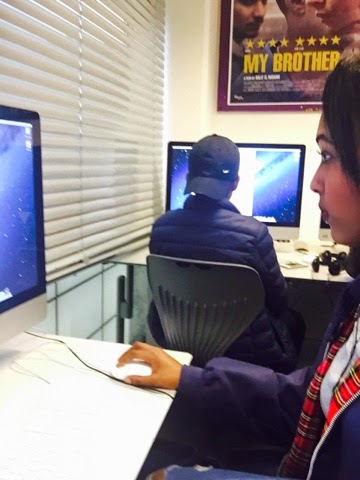
We have now successfully put together the videos in the sequence that we will be putting it in our title sequence.Now we are picking the sound to go behind our title sequence to set the up-beat youth drama that we intend to potray to our audience.

Wednesday, 4 March 2015
Tuesday, 3 March 2015
Teen Film of Choice (BP 20)
Film: Mean Girls.

Title Credits:
- Directed by
- Writing Credits
- Cast
- Produced by
- Music by
- Film Editing by
- Casting by
- Production Design by
- Costume Design by
- Make up Department
- Assistant Director
- Special Effects by
- Visual Effects by
The production for this film was mainstream and the producers are Tony Shimkin and Lorne Michaels. The Associate producer is Jennifer Guinier and the co-producer is Louise Rosner.
The Main Characters are:
- Cady Heron (played by Lindsey Lohan)
- The Plastics: Rachel McAdams (played by Regina George), Karen Smith (played by Amanda Seyfried) and Gretchen Wieners (played by Lacey Chabert).
- Aron Samuels (played by Jonathan Bennett)
- Janis Ian, one of Cady's bestfriend (played by Lizzy Caplan)
- Damien, other one of Cady's bestfriend (played by Daniel Franzese)
The title sequence of the film 'Mean Girls' introduces that the main character named Cady Heron (who was played by Lindsay Lohan) has been living in Africa with her parents for her who life and that she has also been homeschooled by her mother. This therefore already tells the audience that she has never went to a public school before. The title sequence also shows her saying goodbye to her parents an entering 'high school territory'. This introduced a bit of the different social groups: the jocks, the geeks and the druggies. there are more social groups; such as 'the plastics' who are the three 'It Girls' in the High School, the cool Africans and the Asians and the nobodies, but they are bought up deeper into the beginning of the film.
Monday, 2 March 2015
Evidence of making of Title Sequence.

This image shows us in the making of the title sequence for Haram. We found it quite easy to make but at some point we had to slow down the entry of the writing which we found was difficult. But at the end we called for help and solved how to do it.
Thursday, 26 February 2015
Changes to font
When we first were creating our title sequence we had the font El Valiente but as the theme is based around muslim culture we decided to have more araab style font to fit the theme. The font was then changed to XXII ARABIAN - ONENIGHTSTAND.

El Valiente XXII ARABA-ONENIGHTSTAND
El Valiente
XXII ARABA-ONENIGHTSTAND
Wednesday, 25 February 2015
How to create Soundtracks in Garageband (BP19)
Garageband is a software application made by Apple, which allows the people using it to create music and podcasts. We were given a brief introduction in class on how to make a sound track.
To create sounds on Garageband you start off by selecting "New Project" and a range of choices will come up just like the one in the image, you can choose from any but Empty Project would be a good idea as you can start from scratch using any sounds you want for the soundtrack.


To create sounds on Garageband you start off by selecting "New Project" and a range of choices will come up just like the one in the image, you can choose from any but Empty Project would be a good idea as you can start from scratch using any sounds you want for the soundtrack.
When you selected that option, you will see a blank canvas with a selection of sounds you can choose from at the right hand side of the screen. The more sounds you choose, the more simplified your search would be. For example, if you are looking for a relaxing sound but you want it to be from voices you would click the acoustic button and the relaxed button and the sounds in that form would come up underneath it. You'll then have to select one of the many sounds you like or think is best for your project and drag it the middle part of the screen right at the top. Just as it it shown in the image underneath.To make your sound last longer all you have to do it go at the corner of the loop (the sound you chose to use) and a small rotating arrow would be seen. Then you click and drag the loop and you will see that it will get longer.
When you have done that, you can make your soundtrack more interesting by adding more sounds to it. Each time you find a sound you like and know is going to fit in with the previous loop(s), you drag it under the recent loop. You can move the loop forward or backwards so it comes after or before the previous sound or you can make it shorter or longer so that it'll finish after or before the previous loop.
Saturday, 21 February 2015
Evidence of editing (Blogpost Task 43)
This is shows our group putting together a rough draft of our movie so we get an idea of how our title sequence is going to plan out.

 Evidence of us as a group editing

We are using Final Cut Pro to edit our title sequence as it is the most efficient form editing software and it is the most easiet available to us as we are a low budget production company.
Thursday, 12 February 2015


Wednesday, 11 February 2015
What the actors wore when filming (BP32)
 |
| The clothes Leyla wore were exactly what we wanted her to look. By having her wearing the scarf whereas wearing jeans at the same time shows us that she does not take her religion seriously. |
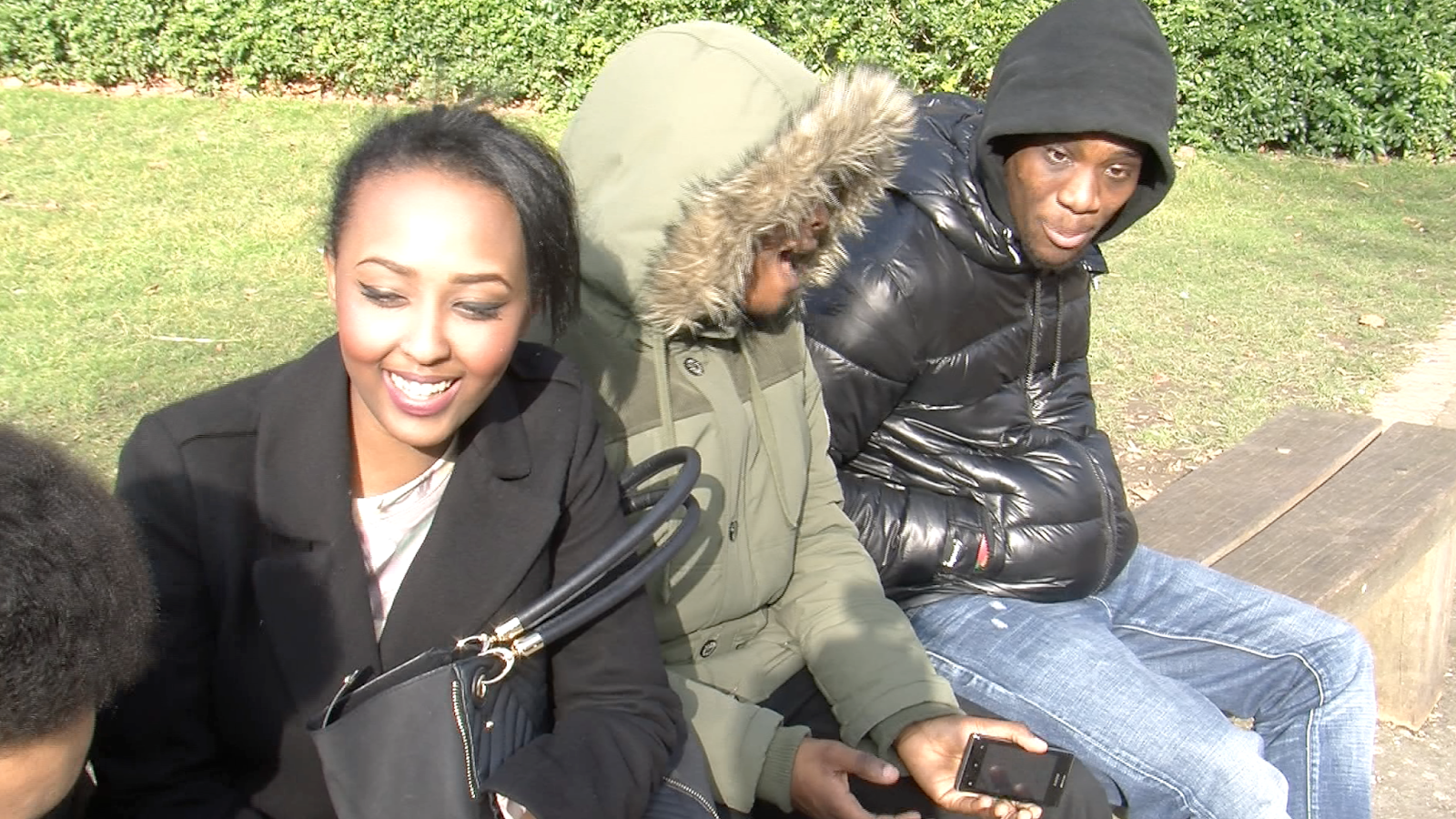 |
| The clothes that Leyla's 'bad' friends wore shows us that they are not good people as their face is covered by their hoods. Also we can see that Leyla is not wearing her scarf when she is with them which shows that she doesn't want them to see her differently, as a good girl, but she wants them to accept her and that she wants to be part of their group. |
An Idea of the Clothes of The Actors (BP31)
1. Leyla:
2. Leyla's Muslim Friend:
3. Leyla's Non-muslim Friends:
 |
| A black jacket. |
 |
| She will be wearing the scarf in the beginning but will then take it off. |
 |
| Black bag. |
 |
| Black jeans. |
 |
| Black heeled boots. |
2. Leyla's Muslim Friend:
 |
| She'l' be wearing a skirt with a top and shoes. Headscarf will be on as well. |
 |
| A hooded jacket. |
3. Leyla's Non-muslim Friends:
 |
| A Bubble jacket. |
 |
| Loose jeans. |
 |
| A Snapback. |
Subscribe to:
Posts (Atom)